Open positions
Not every position on a parish schedule is assigned by a leader. Many are left open on purpose, for whoever can take them. Open positions in Serve shows the ones you are eligible for, and lets you claim them yourself.
Finding open positions
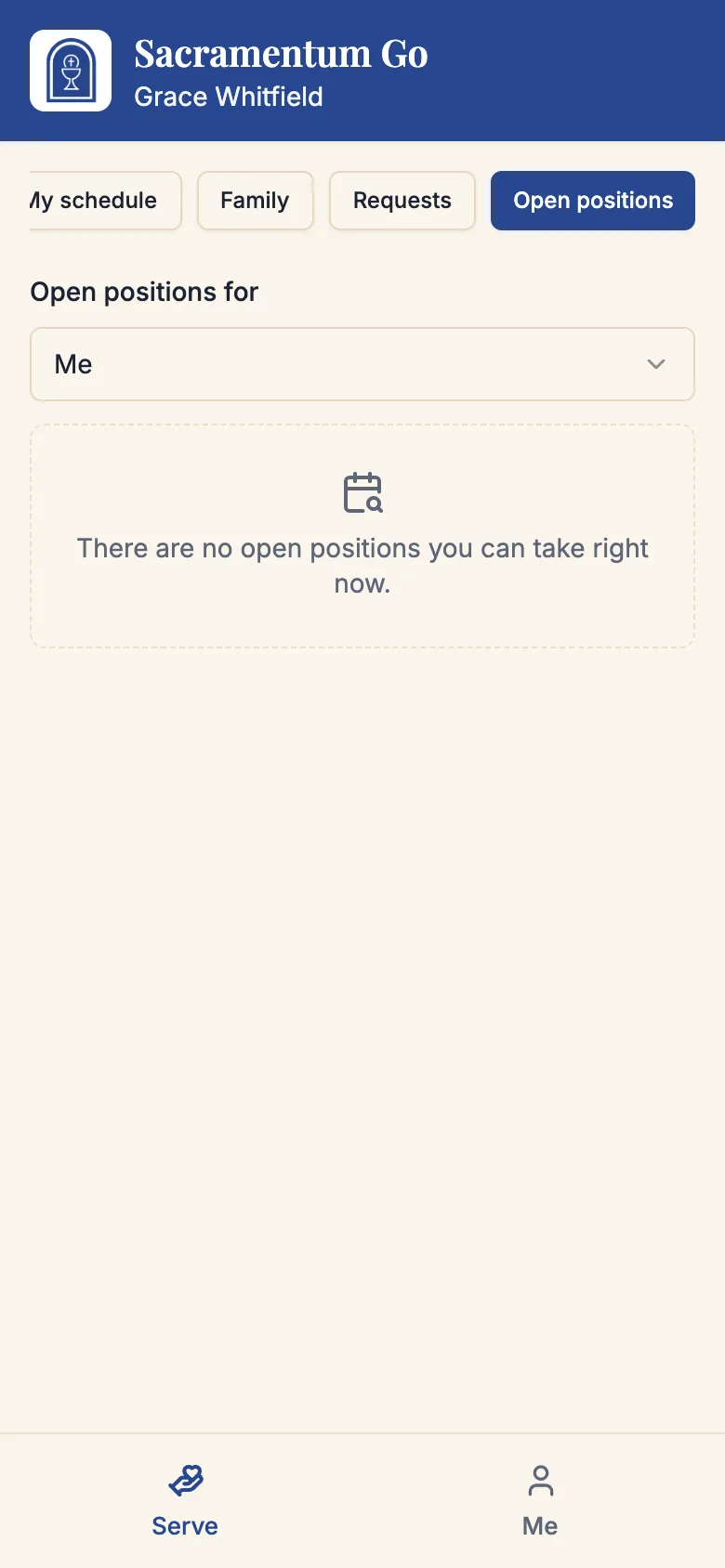
Open Open positions in Serve. Every position listed is one you could actually fill — Sacramentum checks your ministries, your qualifications, your availability, your serving limits, and your family's rules before it shows you anything.
That is worth understanding: you will never see a position you would then be refused for, and a position you expected to see and do not is telling you something. See the troubleshooting section below.
If nothing is available, the page says There are no open positions you can take right now.
Claiming a position
Each position shows the date, the service, and the role. Depending on how your parish set that role up, you will see one of two buttons:
- I'll serve — the position is yours immediately. You will see You are signed up, and the assignment appears in your schedule.
- Ask to serve — marked Needs approval. Your request goes to a ministry leader, and you will see Your request was sent. Check back, or wait for the leader to decide.
If a position shows a pending count — n requests waiting for approval — other volunteers have asked for it too. The leader will choose, and the rest are told the position was filled.
Claim early in the month rather than late. A leader who sees positions filling themselves stops chasing people, and the positions still open a week before the service are the ones that end up as phone calls on Saturday night.
Claiming for someone in your care
If you are recorded as the guardian of a young volunteer, the top of the page shows Open positions for with a choice between Me and each person in your care.
Switch to a child's name and the list changes to the positions they are eligible for. Claim on their behalf exactly as you would for yourself. See Families and young servers.
When a claim does not go through
Open positions move. If someone claims a position between the moment your page loaded and the moment you tapped, you will see:
| Message | What happened |
|---|---|
| Someone just took that position | Another volunteer claimed it first. Refresh and look again. |
| It is too close to that service — please contact the parish office | Online sign-up closes shortly before a service starts. Call the office if you can still help. |
| Could not sign you up | Something went wrong. Try again; if it persists, tell your ministry leader. |
Serving more than your rotation
Claiming open positions is on top of whatever the scheduler gives you, but it is not unlimited — your own maximums and your parish's caps still apply. If you want to serve more often as a matter of course, raise your serving target in Your serving preferences rather than hunting for open positions each month.
Troubleshooting
The list is empty
Any of these will empty it, and all of them are normal:
- Everything on the current schedules is filled.
- The roles you belong to are not set up for volunteer sign-up. Not every parish opens every role.
- You have marked yourself unavailable for the dates that have openings.
- You have reached your weekly, weekend, or monthly maximum.
- A required credential of yours has expired.
I can see a position on the parish's shared schedule but not in Serve
The shared link shows every open position; Serve shows the ones you can take. The difference is one of the reasons above — most often the role is not open for self-signup, or you are not enrolled in it.
My request has been waiting for days
Ministry leaders review requests by hand. If it is getting close to the service, contact the parish office rather than waiting — an unanswered request is not a confirmed assignment.
I claimed a position by mistake
Ask for a replacement on it, exactly as you would for any other assignment. See Replacements and trades.
What's next
- Your serving schedule — where a claimed position appears
- Replacements and trades — if you can no longer make it
- Your serving preferences — serve more often by default
Related articles
- Your availability — why some dates never appear
- Families and young servers — claiming for someone in your care
- Serving in a ministry — joining a ministry in the first place