Ministry Scheduler
Every Sunday needs lectors at the ambo, servers at the altar, ushers at the doors, extraordinary ministers at the Communion stations, and a sacristan who arrived an hour earlier. The Ministry Scheduler is where your parish records who serves in each of those ministries, how many people each service needs, when each volunteer can and cannot serve, and who is assigned to which position on which day. It replaces the spreadsheet-and-email cycle that most parishes run this ministry on, and it does so inside your existing parish records — the same people, the same Mass calendar, the same bilingual communications.
The Ministry Scheduler menu
Navigate to Admin Dashboard → Ministry Scheduler. The menu groups seven management areas:
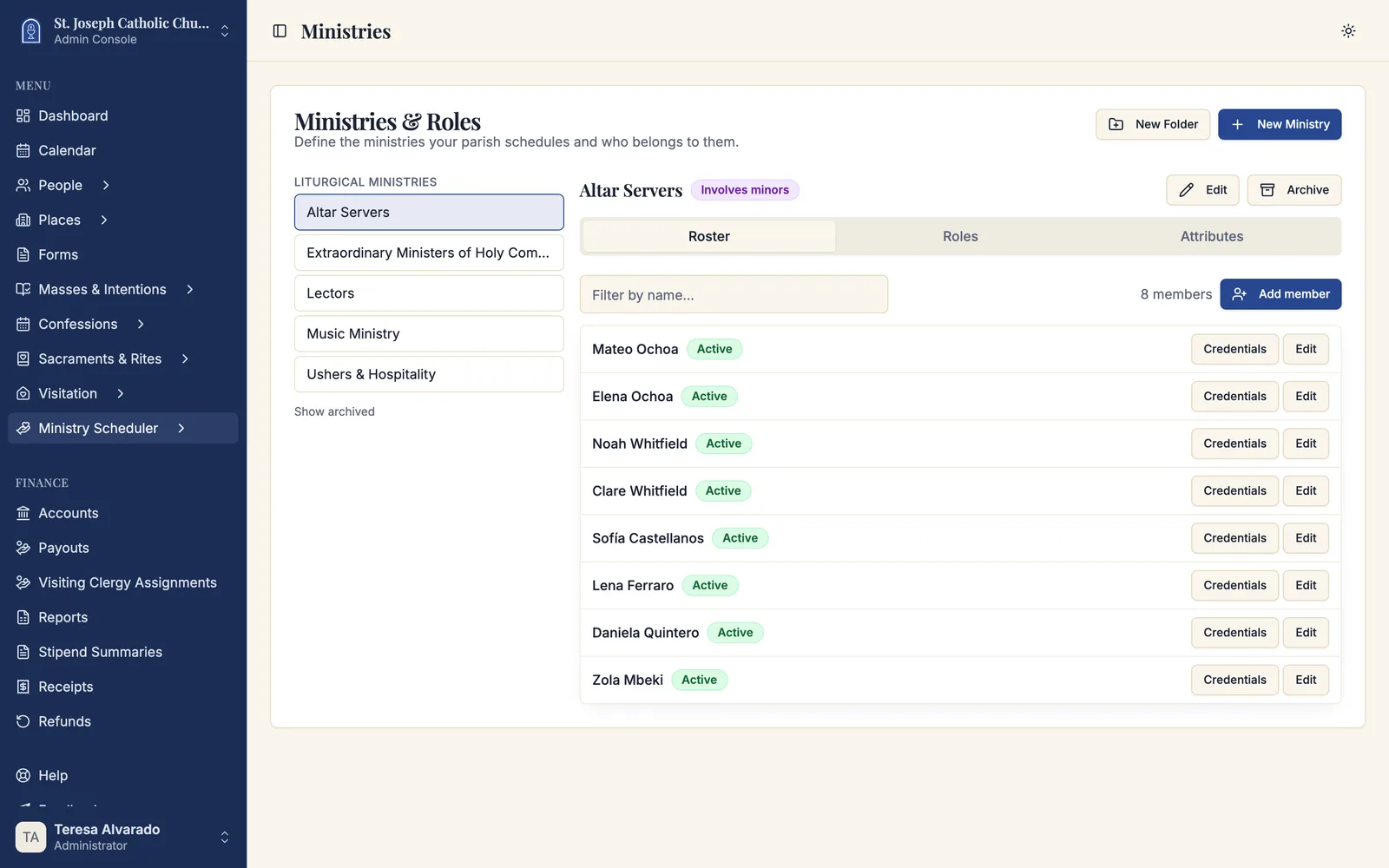
- Ministries — the ministries your parish schedules, the roles inside each one, and the people enrolled in them.
- Service Requirements — how many ministers each Mass or service needs, role by role.
- Schedules — the date ranges you staff, the schedule board where positions get filled, and the publish step.
- Requests — everything waiting on a decision: sign-ups, applications to join, profile changes, replacements, and trades.
- Teams — groups who serve together, and the standing commitments that place them.
- Announcements — email the volunteers in a ministry, with the audience shown before you send.
- Attendance — who actually served, as distinct from who was scheduled.
- Reports — coverage, fairness, conflicts, attendance, response times, and credential expiry.
- Leaders & Access — the scoped permissions that let a ministry leader run their own ministry without becoming a parish administrator.
Each area has its own article. This page explains how they fit together and in what order to set them up.
The Ministry Scheduler is turned on per parish. If you do not see the menu, an administrator needs to enable it under Settings → Ministry Scheduling. See Ministry scheduling settings.
The four things the scheduler needs to know
Ministry scheduling in Sacramentum rests on four pieces of information. Once they are in place, everything else — filling positions, sending notices, finding replacements — follows from them.
- Who can serve. Each ministry has roles (Lector, Altar Server, Usher, Cantor), and each role has a roster of enrolled members. A person's membership carries their status, their qualifications, and any credentials your parish requires of them.
- What each service needs. A service requirement attaches to a Mass schedule and says, for example, that the 10:00 Sunday Mass needs two lectors, four servers, and six extraordinary ministers. Every occurrence of that Mass inherits those positions.
- When people cannot serve. Volunteers record their availability — vacations, standing conflicts, the third weekend of every month — and their preferences for which services they would rather take and how often.
- What the parish will not allow. Household rules, serving caps, minimum spacing between assignments, and required credentials. These are the guard rails that keep a schedule realistic.
Everything the scheduler does — the candidate list, drag-and-drop, automatic scheduling, self-signup, replacement invitations, trades — is judged against the same four inputs, so two screens can never disagree about whether someone may serve.
How a schedule comes together
Most parishes follow the same arc every time they staff a new season:
- Create a schedule for a date range — a month, a quarter, Advent through Christmas. See Building a schedule.
- Generate positions. Sacramentum reads the service requirements, walks every Mass occurrence in the range, and creates the open positions that need filling.
- Fill the positions. Standing arrangements and teams place themselves first. Then a leader fills the rest by hand on the schedule board, or runs automatic scheduling to get a proposal, or opens positions for volunteers to claim themselves.
- Validate. Sacramentum checks the schedule for problems — required positions still open, assignments that are no longer eligible, another live schedule covering the same Masses.
- Publish. The schedule goes live, volunteers are notified in their own language, and the assignments appear on each person's own schedule.
- Handle what changes. People get sick, travel, or swap. Replacements and trades run through the Requests inbox without anyone rebuilding the schedule.
Nothing is visible to volunteers until you publish. A draft schedule is a private workspace — generate positions, experiment with automatic scheduling, discard a proposal you do not like, and try again. Volunteers see nothing until the schedule is live.
What volunteers see
The other half of the Ministry Scheduler belongs to volunteers, in My Parish — the page every parishioner with an account sees when they sign in, on a phone or a computer. Volunteers open Serve in the sidebar and find their own upcoming assignments, their family's assignments, their availability, their preferences, the open positions they can claim, and the requests waiting on them.
That side is documented separately in the Volunteers section — worth reading even if you never use it yourself, because it is what your volunteers will ask you about.
Volunteers who have no smartphone are not left out. A volunteer can mark that they need a printed schedule, and their copies queue up for the parish office to print after each publication. See Publishing and sharing schedules.
Ministry leaders without admin access
Most parishes do not want the head of the usher ministry to hold full parish-administrator rights. Leaders & Access solves this: you grant one capability at a time — view the roster, edit assignments, approve trades — inside one scope, such as a single ministry or a single role.
A leader with grants signs in as a normal parishioner and finds Ministry Scheduler in the My Parish sidebar, which opens only the areas they have been given. See Leaders and access.
Where the Ministry Scheduler touches the rest of Sacramentum
The scheduler is not a separate address book or a second calendar. It reuses what your parish already maintains:
| It uses | Which means |
|---|---|
| People records | Members are enrolled from the canonical parish directory — never typed in twice. Merging two people carries their memberships, assignments, and history with them. |
| Households | Family scheduling rules ("this family serves together," "keep one adult free") read the household your parish already keeps. |
| Mass schedules | Service requirements attach to your existing Mass schedules; positions follow every occurrence, including cancellations. |
| Locations | Access grants and reports can be scoped to a single church or chapel. |
| Online forms | A public form can be linked to the scheduler so that submissions arrive as applications to join a ministry. |
| Email settings | Every notice goes out through your parish's configured sender, in each recipient's own language. |
| Altar server achievements | Serving roles that count toward achievements keep feeding the servers' leaderboard and the sacristy kiosk. |
Setting it up the first time
If you are standing this up for a parish that has never used it, work in this order. Each step depends on the one before it.
- Turn it on. Go to Settings → Ministry Scheduling, enable it, enable the volunteer portal, and set the parish-wide defaults — weekend caps, spacing, reminder lead days, and how trades and volunteer edits are handled. See Scheduling rules and limits.
- Build the catalog. Create your ministries and, inside each one, the roles you actually schedule. Add folders if you have enough ministries to want grouping. See Ministries, roles, and members.
- Enroll members. Add each ministry's people from the parish directory, set each membership's status and scheduling mode, and record any credentials the ministry requires — Safe Environment certificates in particular.
- Describe your services. For each Mass schedule you staff, create a service requirement listing the roles and how many of each. See Service requirements.
- Set up teams and standing arrangements. If a family always serves the Saturday vigil, or a team covers the first Sunday of the month, record that once instead of every schedule. See Teams and standing arrangements.
- Ask volunteers for availability. Ask them to sign in and open My Parish → Serve so they can enter their own unavailable dates and preferences. Anything they enter improves the first schedule you build.
- Build one short schedule. Do not start with a whole year. Staff one month, publish it, and see what your parish learns from it.
After the first cycle, the routine is much shorter: create the next schedule, generate positions, fill, validate, publish.
Do not enroll members before you have created the roles they belong to — a membership is always a membership in a role. Likewise, do not create a schedule before the service requirements exist; a schedule with no requirements generates no positions.
What's next
- Ministries, roles, and members — build the catalog and enroll the people who serve
- Service requirements — say how many ministers each Mass needs
- Building a schedule — turn requirements into positions and fill them
Related articles
- Announcements — email the volunteers in a ministry
- Attendance — record who actually served
- Serving in a ministry — what your volunteers see in My Parish
- Leaders and access — delegate a ministry without granting admin rights
- Managing people — the parish directory members are enrolled from
- Managing schedules — the Mass schedules service requirements attach to
- Roles and access — who can see and do what in Sacramentum