Announcements
Sometimes the schedule is not the message. Training before Advent, a change of sacristy door, a thank-you after Holy Week — things every volunteer in a ministry needs to read, that do not belong on anybody's assignment.
Announcements are plain emails to the volunteers in your communication scope. What makes them worth using instead of a parish mailing list is that the audience is computed from the roster you already maintain, shown to you before you send, and then frozen.
Before you begin
- You need Send communications access. Parish administrators hold it; ministry leaders receive it by grant. See Leaders and access.
- Parish email must be turned on. If it is not, the composer says Parish email is turned off and sending is blocked until it is enabled in parish settings.
- A ministry leader can only address volunteers inside their granted scope.
Writing one
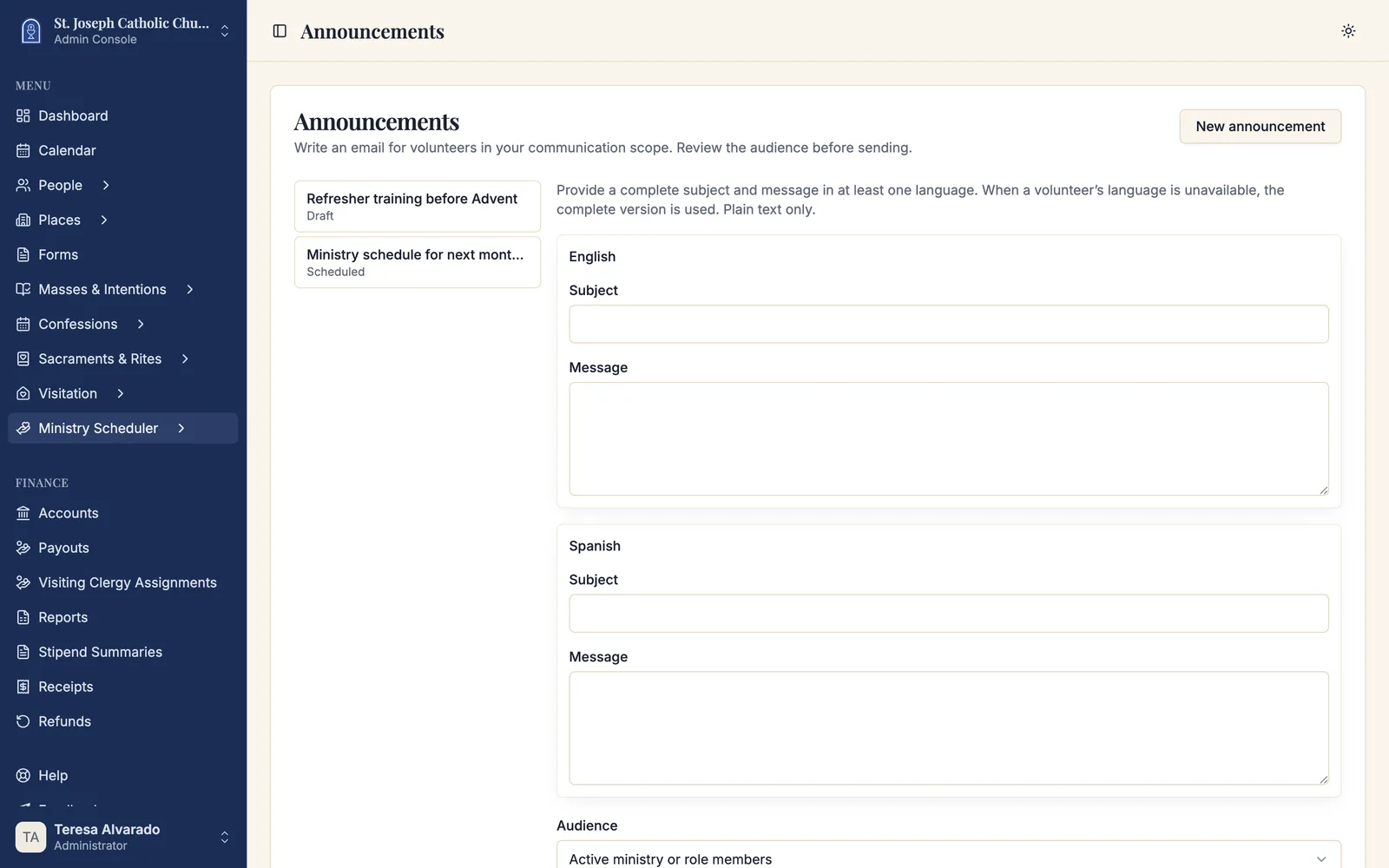
Navigate to Admin Dashboard → Ministry Scheduler → Announcements, then click New announcement.
An announcement has three parts: what it says, who it goes to, and when it leaves.
What it says
Write a Subject and a Message in English, Spanish, or both. Plain text only — no formatting, no attachments.
You do not have to write both. Each volunteer receives the version matching their language when it exists, and the complete version otherwise. A recipient who gets the other language is shown in the preview as Available-language fallback, so you can see who that will affect before deciding whether the second translation is worth writing.
At least one language must be complete — a subject and a message. A half-finished Spanish version is not sent in preference to a complete English one.
Who it goes to
Two kinds of audience:
| Audience | Reaches |
|---|---|
| Active ministry or role members | Everyone currently enrolled in the ministries or roles you pick. |
| Schedule assignees | Everyone holding an assignment on a schedule you pick. |
The first is for anything about the ministry. The second is for anything about a particular month — the people affected by this schedule, not everyone who has ever served.
When it leaves
Leave the date and time empty to queue it now, or set a future date and time in the parish's own timezone.
Preview the audience before you send
Preview audience resolves the list and shows exactly who is in it, with each person's delivery situation:
| Flag | Meaning |
|---|---|
| Routed to guardian | The volunteer is a minor; the message goes to their guardian. |
| Available-language fallback | Their language is not written; they receive the complete version. |
| No deliverable email | Nothing on file, so nothing will be sent to them. |
This step is not decorative. It is the last point at which a mistake is cheap — a scope wider than you meant, a ministry you did not intend to include, a dozen young servers whose messages are about to go to their parents.
Sending, and what "frozen" means
Send announcement — or Schedule announcement for a future time — fixes the recipient list at that moment.
Freezing is the point. A roster changes: somebody joins on Tuesday, somebody is suspended on Wednesday. Without a frozen list, a message scheduled on Monday for Friday would go to a group nobody ever reviewed. What you approved in the preview is what is sent.
Delivery still rechecks the things that must be current at the moment of sending — permissions, membership, guardian routing, addresses, and each person's email preferences. Somebody who left the ministry between approval and delivery does not receive it. The frozen list can only shrink, never grow.
Following delivery
Each announcement carries a state:
| State | Meaning |
|---|---|
| Draft | Not sent. Only you can see it. |
| Scheduled | Approved and waiting for its send time. |
| Preparing delivery | Being handed to the email provider now. |
| Queued | With the provider. |
| Cancelled | Stopped before the remaining messages went out. |
| Needs attention | Delivery preparation failed. |
Per recipient, the queue shows Queued, Sending, Sent to provider, Awaiting retry, Failed, Cancelled or no longer applicable, or Not sent.
Sent to provider is the honest ceiling of what Sacramentum can tell you: the message reached the email service. Whether it then reached an inbox is between the provider and the recipient's mail server.
Stopping one
Cancel remaining delivery stops what has not gone out yet. Messages already in flight may finish, and anything already sent stays sent and stays in the history — cancelling is not a recall.
Troubleshooting
Delivery preparation needs attention
Check parish email settings, and check that the sender still holds Send communications access — a grant that expired between scheduling and sending will stop delivery. Then Retry delivery preparation.
The preview changed between approving and sending
Sacramentum refuses to send against a list that has shifted underneath you. Preview again and re-approve; the second preview shows the audience as it now stands.
A volunteer says they never got it
Check the delivery list for that person first. No deliverable email means there is nothing on file. Routed to guardian means it went to a parent. Not sent usually means they have opted out of this kind of email.
Related articles
- Publishing and sharing schedules — schedule notifications, which are separate from announcements
- Ministry reports — the message delivery report, which covers both
- Leaders and access — granting Send communications within a scope