Replacements and trades
Something always comes up. Sacramentum gives you two ways to handle it without a chain of phone calls: ask for a replacement, which invites other volunteers to cover for you, or offer a trade, which swaps your assignment with someone else's.
Asking for a replacement
On the assignment you cannot make, in My schedule, tap I need a replacement.
Sacramentum immediately invites the volunteers who are eligible to cover you, and tells you how many: n volunteers have been invited to cover you. If nobody was eligible, you will see Nobody was eligible to invite — your leader has been notified.
Your assignment now carries a badge: Replacement requested — you serve until someone accepts.
Asking for a replacement does not release you. You remain responsible for the service until somebody actually accepts. This is intentional — it means a position is never quietly empty — but it also means you should check back, and follow up with your leader if nobody has accepted as the date approaches.
What happens next
It depends on how your parish runs replacements for that ministry:
- First to accept serves — the first volunteer who says yes takes the position, and your request closes.
- A leader picks — volunteers say whether they are available, and a leader chooses among them. You may see Waiting for a leader to confirm for a while.
Withdrawing a request
Changed your mind, or your plans changed back? Under Requests → My replacement requests, tap Withdraw. You will see You are back on the schedule for this service.
If nobody accepts
The request expires and you are told: No replacement was found. The original volunteer remains assigned; arrange coverage manually. That is the moment to call your ministry leader or the parish office directly.
Too close to the service
Within about two hours of a service, online requests close. You will see Too close to the service for online requests — your leader has been notified. Call the parish office.
Answering an invitation to cover
When another volunteer needs a replacement and you are eligible, you get an invitation — by email, and in Serve under Requests → Invitations to serve. You can answer either place; the email link works without signing in.
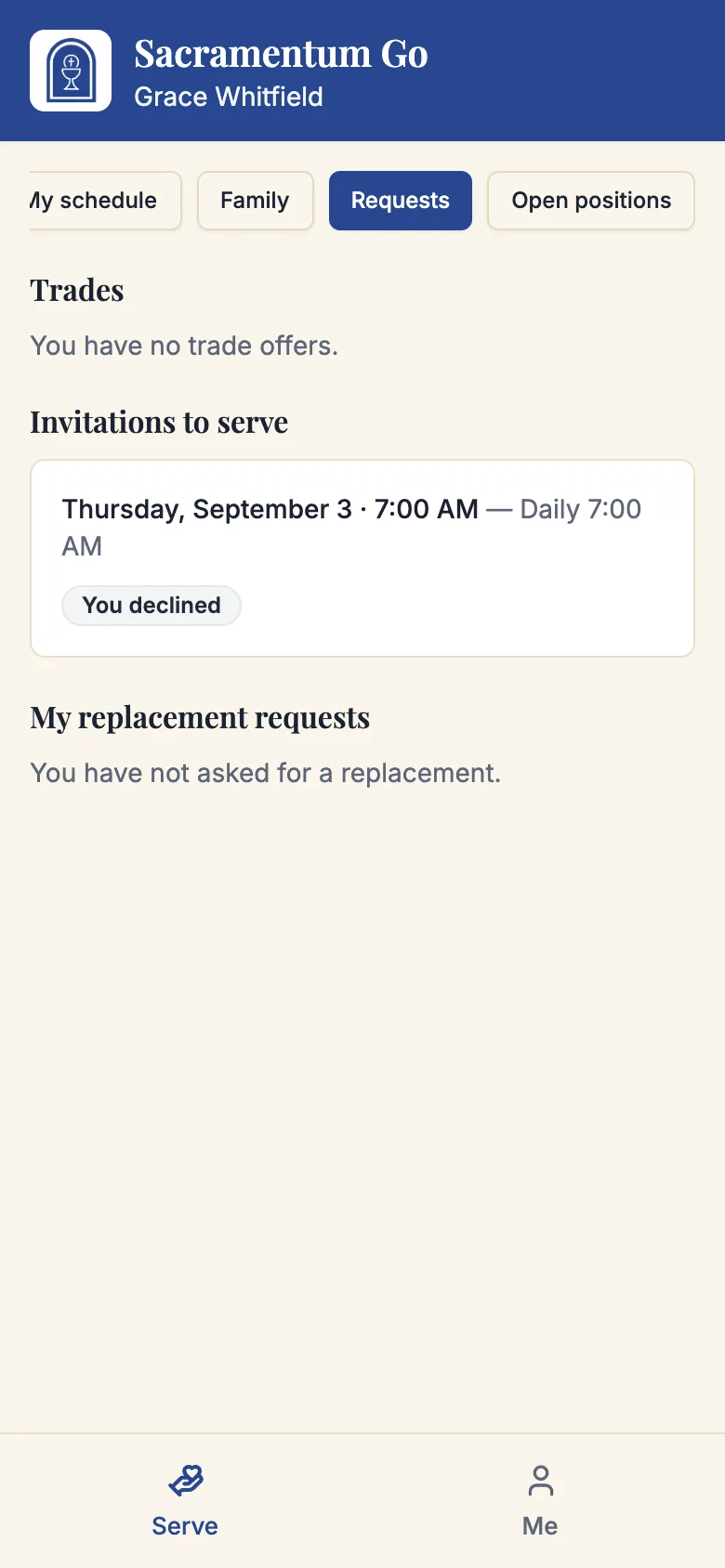
Two buttons:
- I can serve
- Not this time
What happens when you accept depends on the ministry's mode:
- First to accept — you are assigned right away: You are on the schedule. Thank you for stepping in.
- Leader picks — your availability is recorded: A leader will confirm who serves.
If the position carries anything you should know before saying yes — you already serve elsewhere that day, it is closer to your other assignments than your spacing preference — Sacramentum shows it under Before you accept, please note: and offers Accept anyway.
If someone got there first, you will be told Someone else already took this one or This position has already been covered. Thank you for being willing. Nothing is lost by trying.
If the service time changes after you were invited, you will be asked to confirm again — The service time changed — please re-confirm — with a button reading Yes, the new time works. Nobody is put on a schedule at a time they did not agree to.
Trading with another volunteer
A trade swaps two assignments directly, so neither position goes back into the pool.
Offering a trade
- On the assignment you want to swap, tap Offer a trade.
- Search for a volunteer. Only mutually compatible volunteers appear — people who could take your assignment and who hold at least one assignment you could take. Each shows how many eligible options they have.
- Send the offer.
You will see Trade offered — the other volunteer will choose which assignment to offer in return.
If nobody is listed, you will see No mutually compatible volunteers were found for this assignment. Ask for a replacement instead.
Answering a trade offer
Under Requests, an offer reads Trade with (name) and asks you to Choose one assignment to offer back. Pick one of your eligible assignments and tap Offer this assignment, or tap Decline.
Confirming
The volunteer who started the trade sees the return assignment and confirms both. What happens then depends on your parish:
- Confirming completes the trade if both volunteers are still eligible — both schedules update immediately.
- Confirming sends both assignments to a leader — a ministry leader reviews and approves. Both sides are checked again before approval.
Either way, if either of you has become ineligible in the meantime, no schedule change is made.
Trade statuses
| Status | What it means |
|---|---|
| Waiting for the other volunteer | They have not chosen a return assignment yet. |
| Waiting for proposer confirmation | They chose one; you need to confirm. |
| Awaiting leader approval | Both of you agreed. A leader will decide. |
| Completed | Both schedules updated. |
| Declined / Cancelled / Expired | Nothing changed. |
| No longer valid | One of the assignments changed underneath the trade. |
Tap Cancel trade at any point before it completes.
Trades also close near the service: It is too close to this service to arrange a trade online.
Which one should you use?
| Use | When |
|---|---|
| Replacement | You simply cannot serve, and you do not mind who covers. |
| Trade | You want to keep serving, just on a different day — and you have someone in mind. |
A replacement asks the whole eligible roster. A trade asks one person. If the trade falls through, you can still ask for a replacement.
Troubleshooting
"You are not able to take this position right now"
Something about the invitation no longer fits — your availability changed, you have reached a serving cap, or a required credential lapsed. If you believe you should be eligible, tell your ministry leader.
"This request has expired"
The replacement request closed before you answered — either someone else covered it, or it passed the cutoff.
My replacement request has had no response
Check whether anyone was invited at all. If you saw Nobody was eligible to invite, your leader already knows and you should follow up directly. Otherwise, contact your leader as the date approaches — you are still responsible until someone accepts.
"No eligible return assignment remains"
The other volunteer's assignments changed, so there is nothing left to swap. Decline the offer and ask for a replacement instead.
I answered from an email link and it says the link is not available
Replacement and trade links expire once the request is decided or closed. Sign in to Serve and check Requests for the current state.
What's next
- Your serving schedule — where your assignments and their badges live
- Your availability — prevent the conflict next time
- Open positions — cover a gap nobody has been invited to
Related articles
- Serving in a ministry — opening Serve
- Families and young servers — answering on behalf of someone in your care
- Your serving preferences — serving limits that affect eligibility